Overview
Overview of Apps
Unicorn Solution is an advanced camera monitoring and visualization application designed for vehicles equipped with fisheye camera systems. The software provides a complete platform for capturing, processing, and displaying wide-angle camera feeds in real time, allowing operators to monitor the vehicle’s surroundings efficiently and safely.
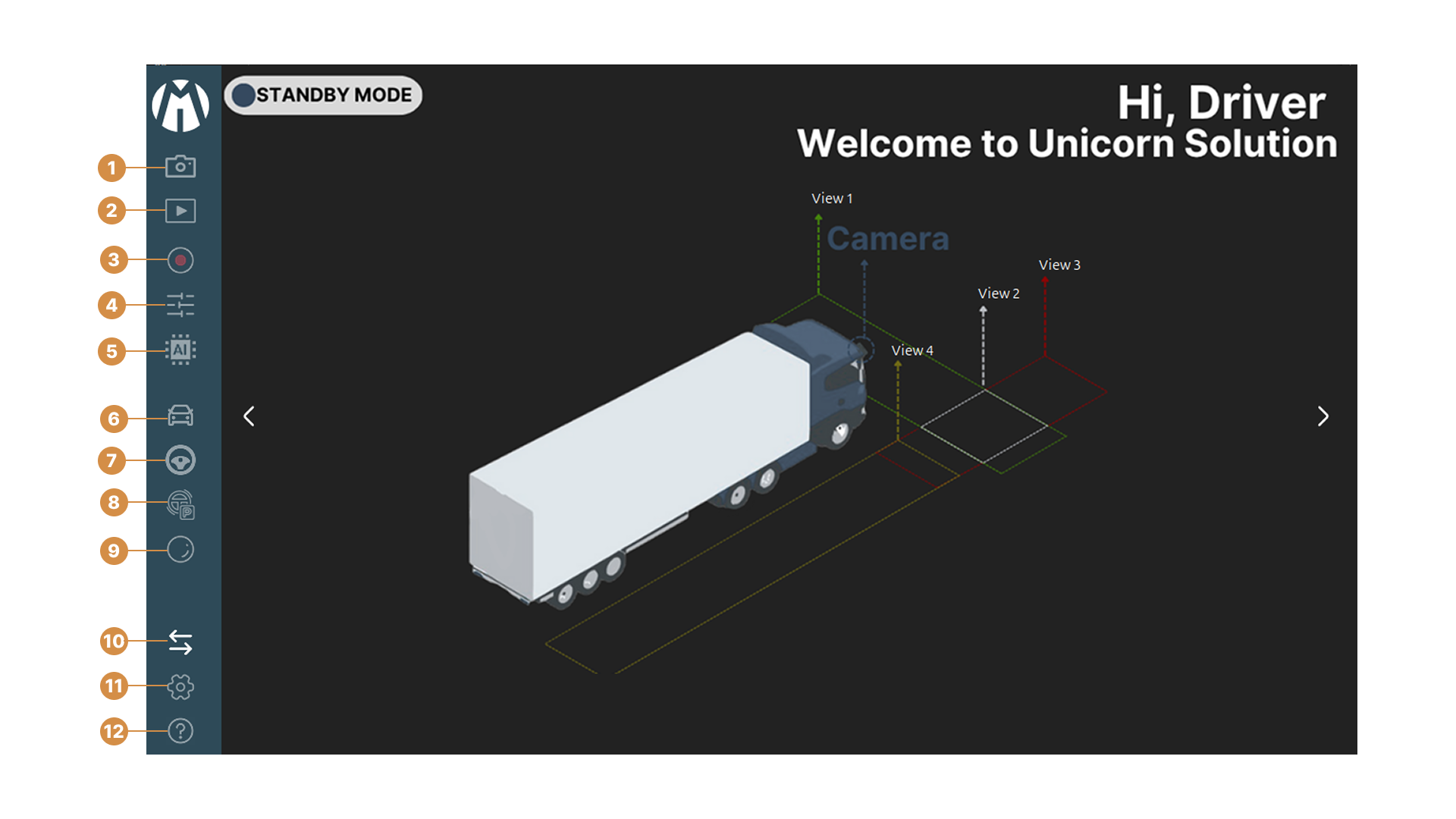
Main Window
In the main view of the application, there are several working modes that users can select at the sidebar of the screen:
1. Load Media and Open Camera : The UI provides options for loading media and cameras, enabling users to choose between local media files or live camera streams. Users are required to define the source count (Single or Multiple) before selecting the specific file. To ensure accuracy, the appropriate camera parameters must be assigned according to the selected media source.
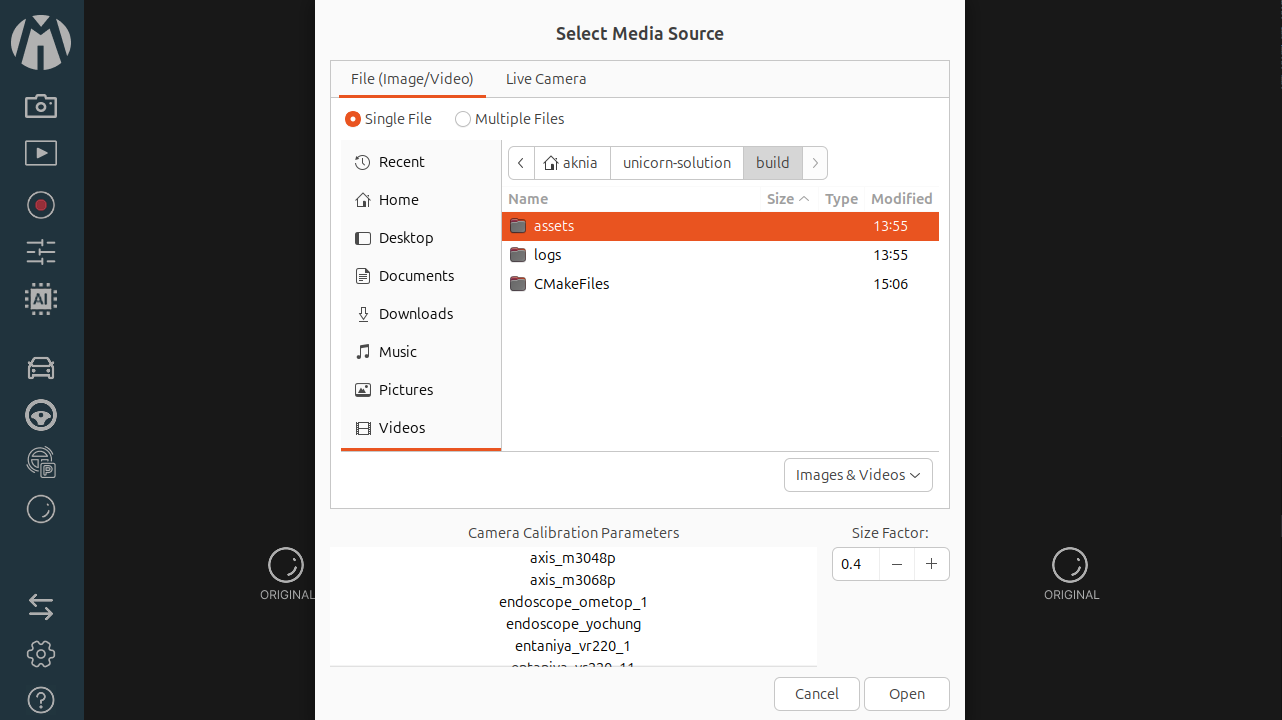
Live View Mode
2. Playback Mode : Displays all recorded results from Live View, allowing users to review and analyze past footage with full playback controls.
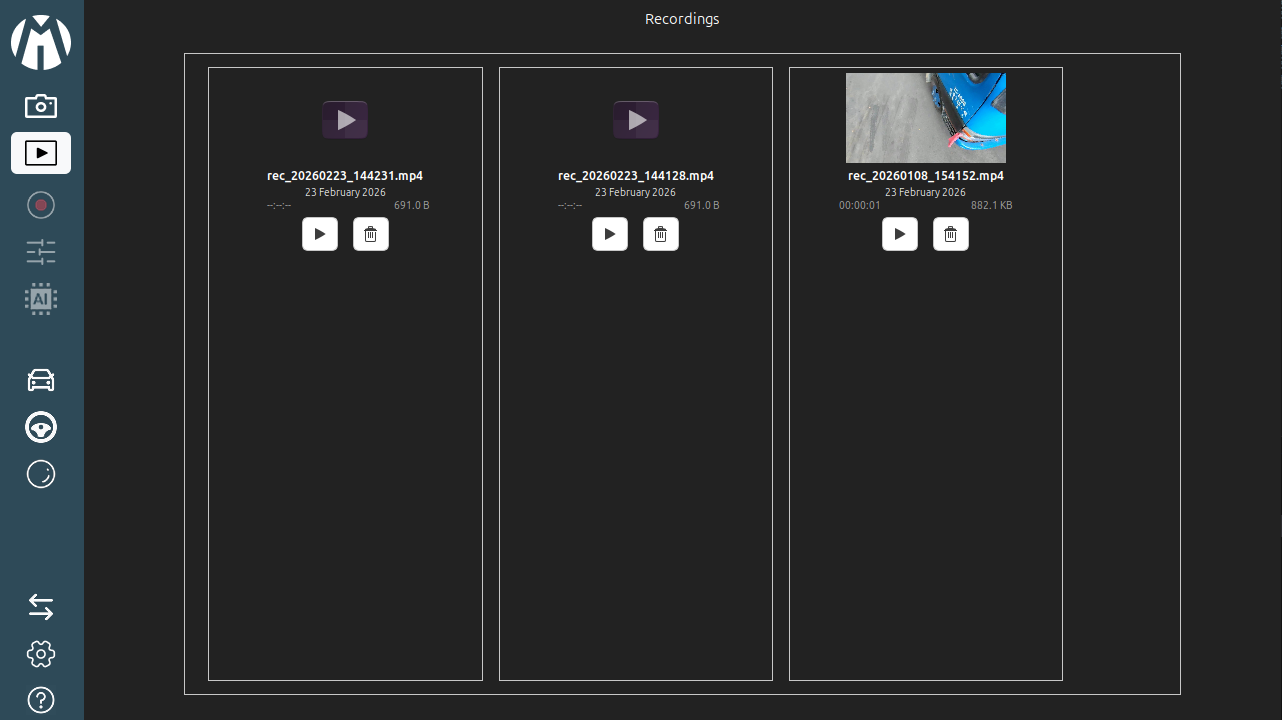
Playback Mode
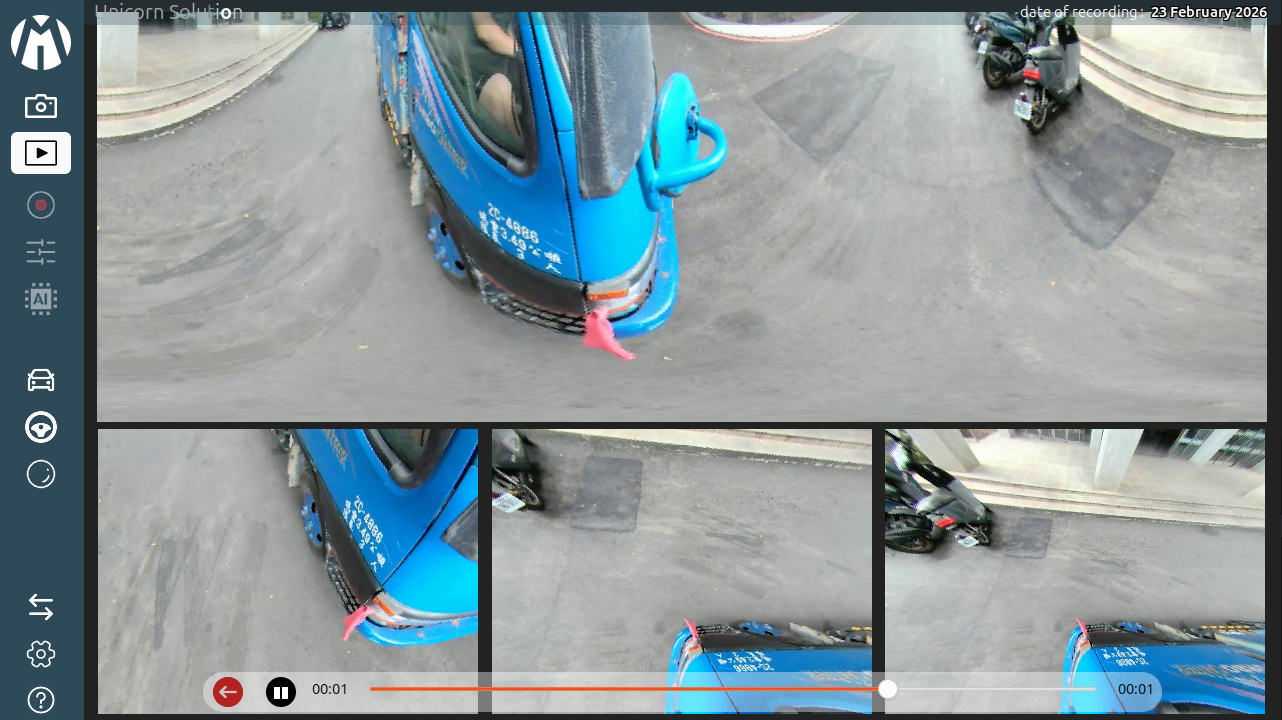
UI Playback
3. Video Record : The Video Recording interface allows users to capture and save processed footage from either live camera feeds or media sources.
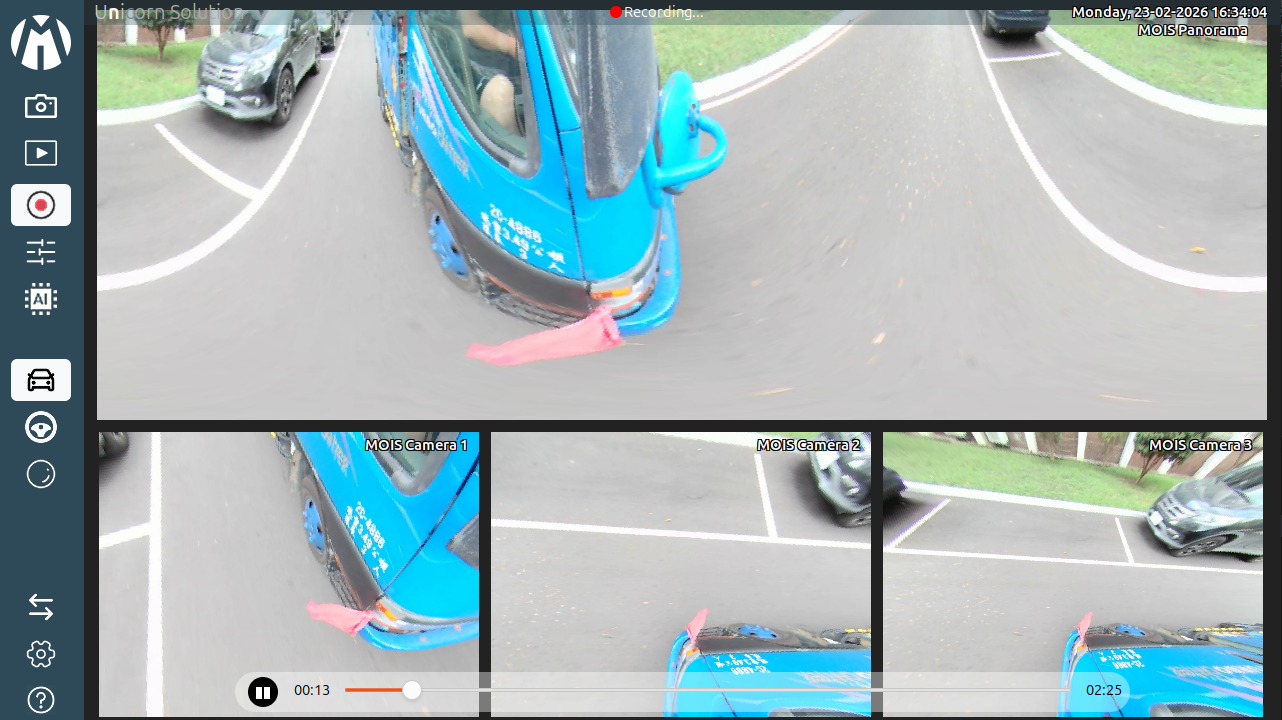
Video Record
4. Configuration Mode : Allows users to adjust camera parameters, display preferences, and system behavior for optimal performance.
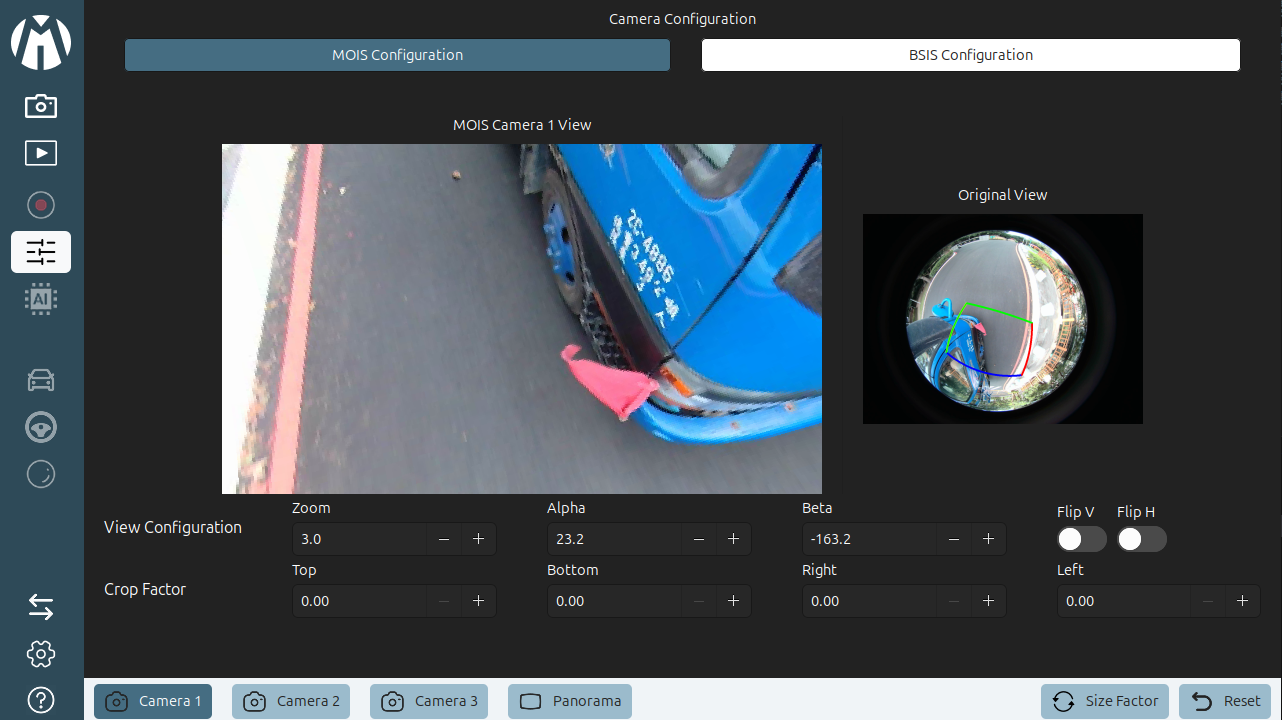
Configuration Mode
5. AI Mode : AI Detection Mode Click the chip icon on the sidebar to activate AI Mode. This feature uses deep learning to detect obstacles like pedestrians and vehicles in real-time, highlighting them with bounding boxes on the screen to enhance driver awareness.
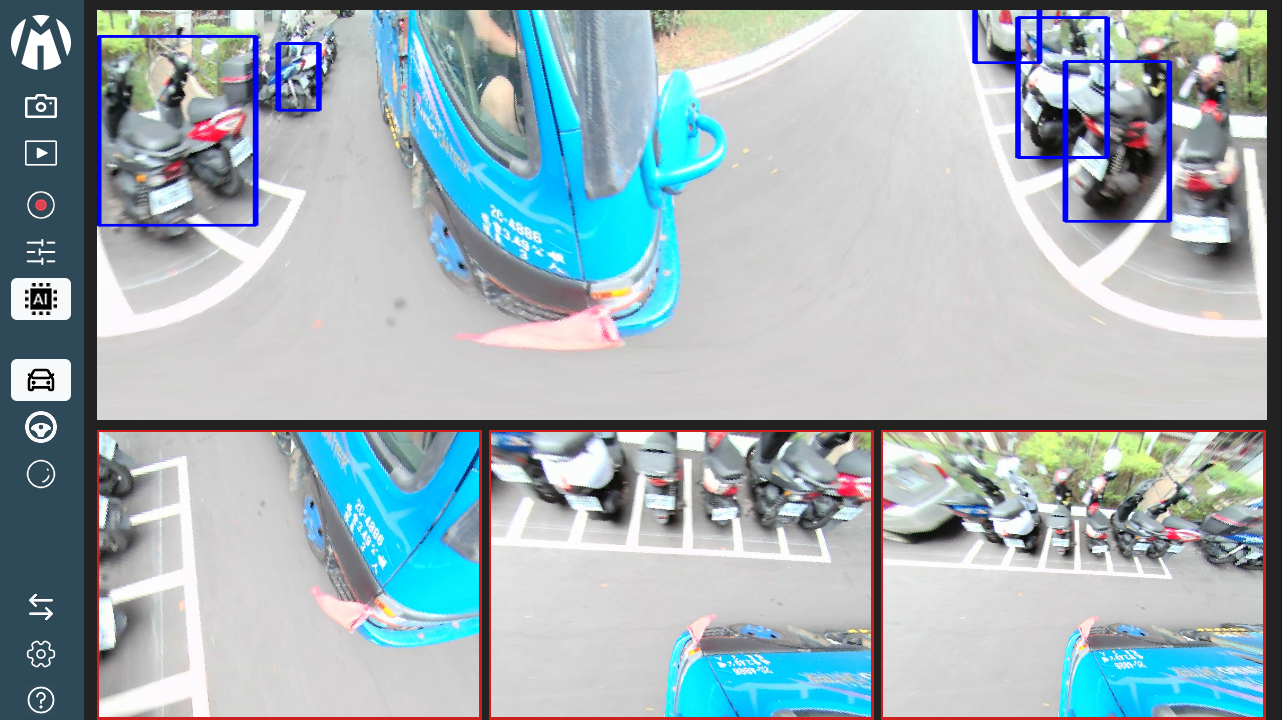
AI Mode
6. MOIS Mode : This mode prioritizes the frontal blind spot. It processes the fisheye feed into a wide, de-warped panoramic view covering the area directly in front of the vehicle cabin, ensuring safety when the vehicle begins to move forward.
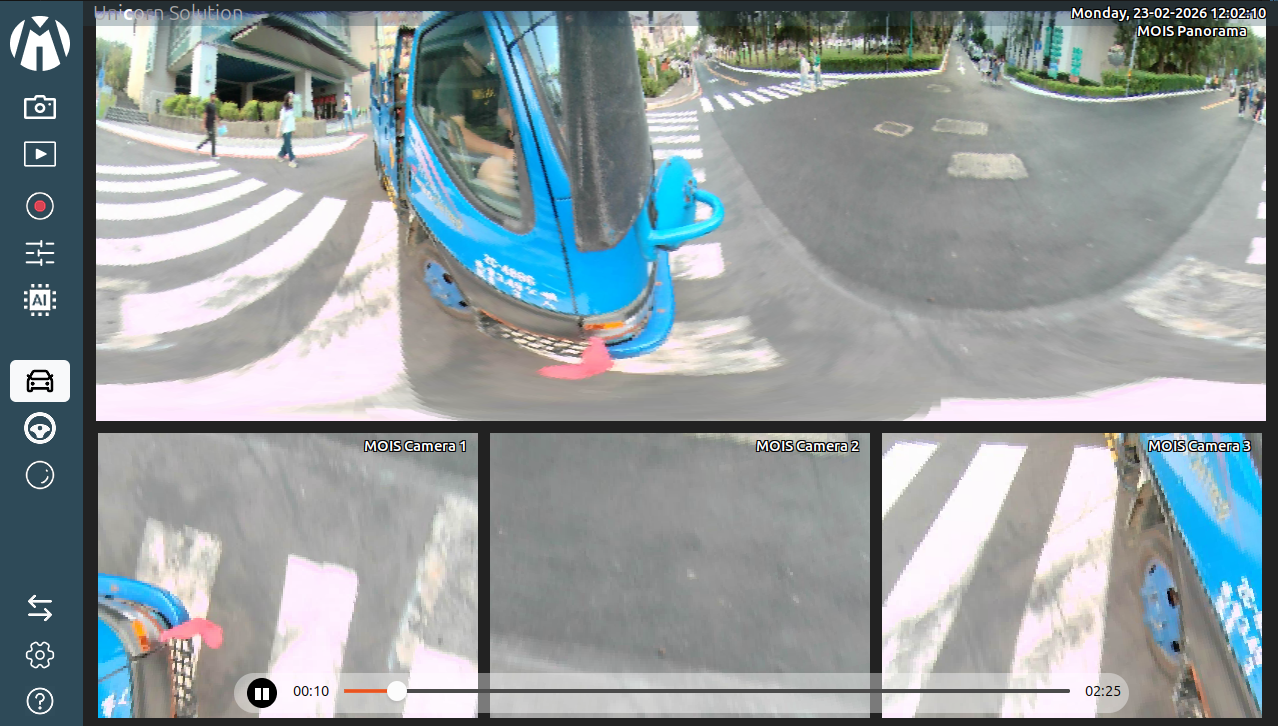
MOIS Mode
7. BSIS Mode : This mode focuses on the nearside (passenger side) blind spot. It adjusts the viewing angle to cover the area alongside the vehicle, which is critical for detecting cyclists and pedestrians during turns.
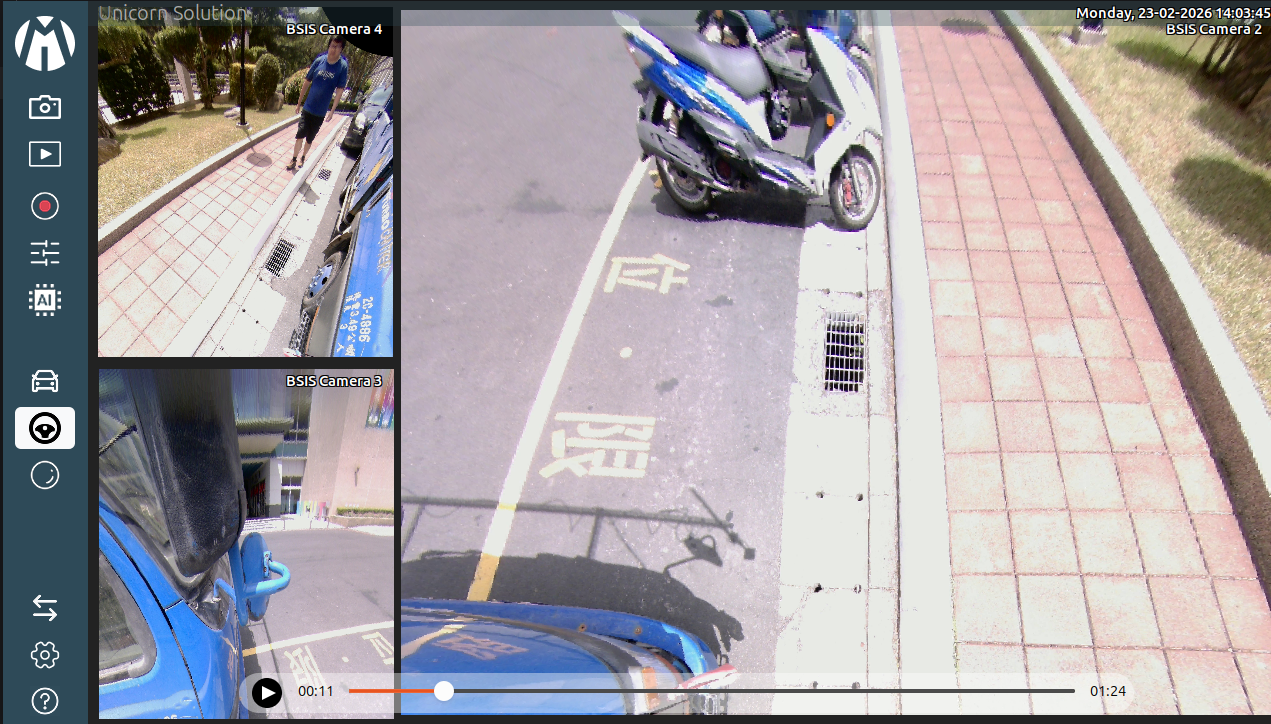
BSIS Mode
8. REIS Mode : REIS Mode (Rear Event Information System) is an intelligent monitoring feature designed to enhance safety while reversing or monitoring the area behind the vehicle.
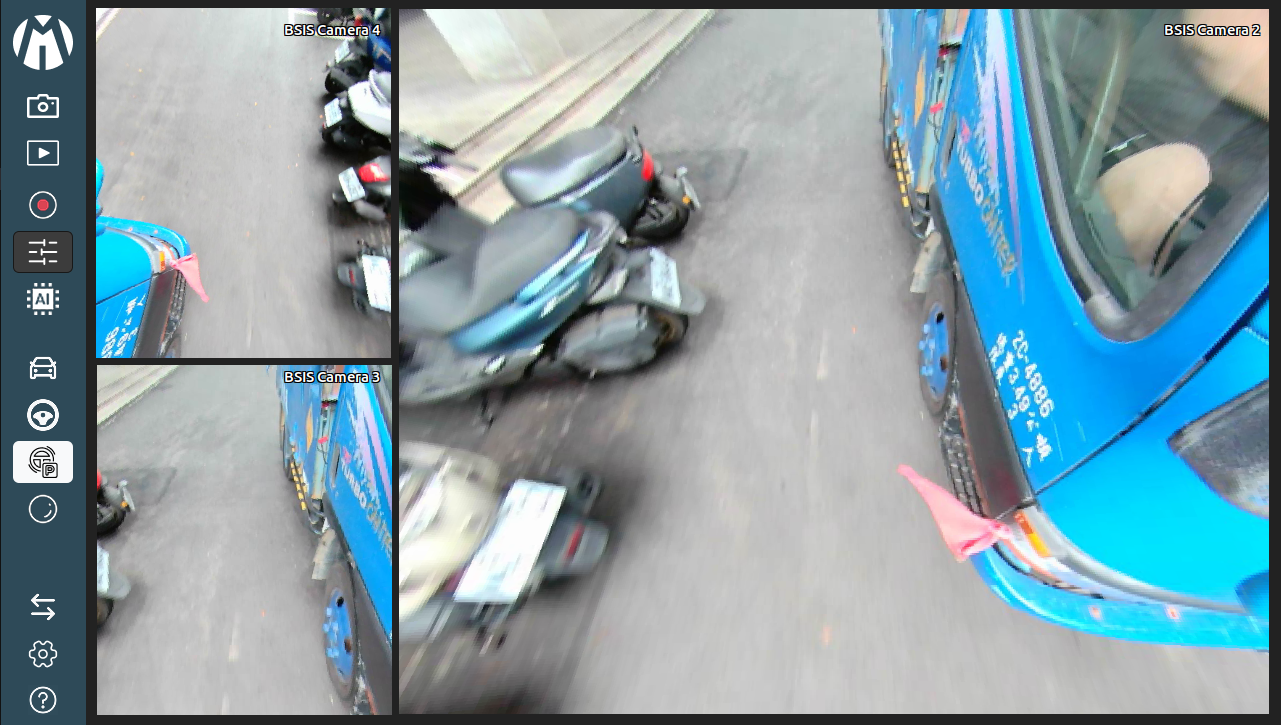
REIS Mode
9. Original Mode : This interface allows you to specify coordinates for the Front Region and Side (Right) Region. These area settings are crucial because they determine the parts that will be analyzed by the system to detect MOIS (Front) and BSIS (Side) hazards.
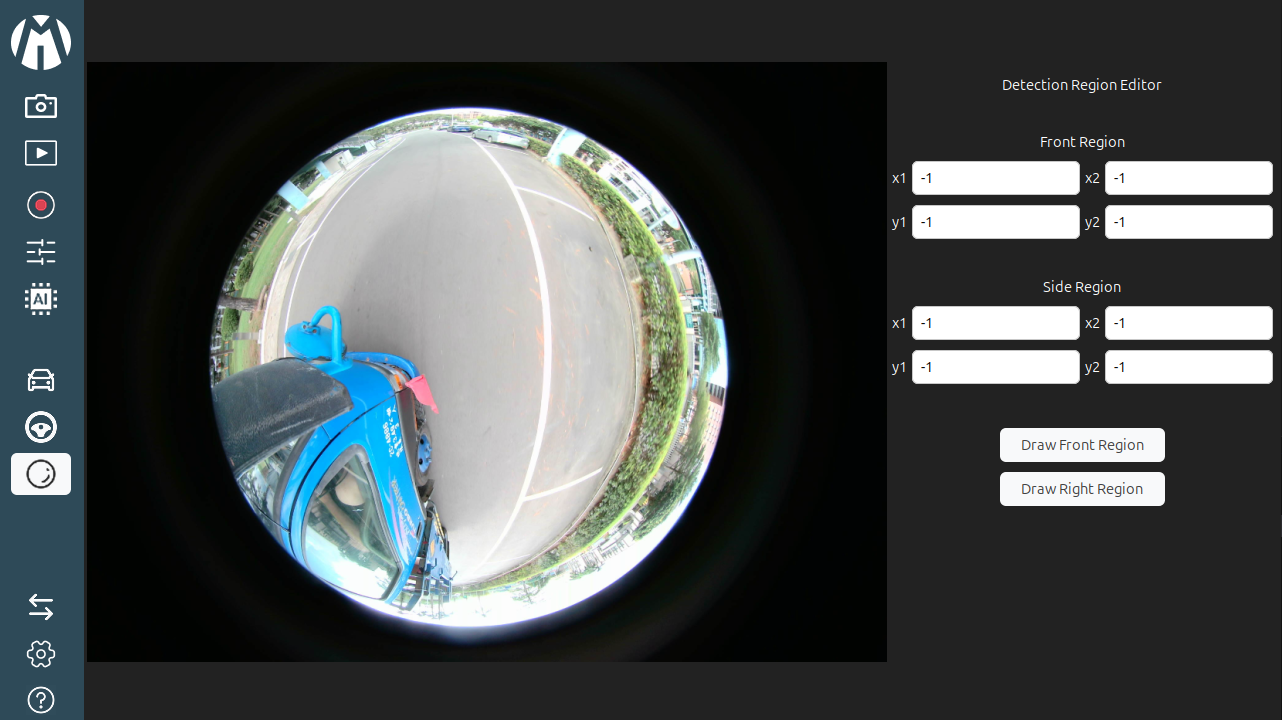
Original Mode
10. Switch Mode : Toggles the application state between "Standby Mode" (monitoring off/idle) and "Drive Mode" (active monitoring).
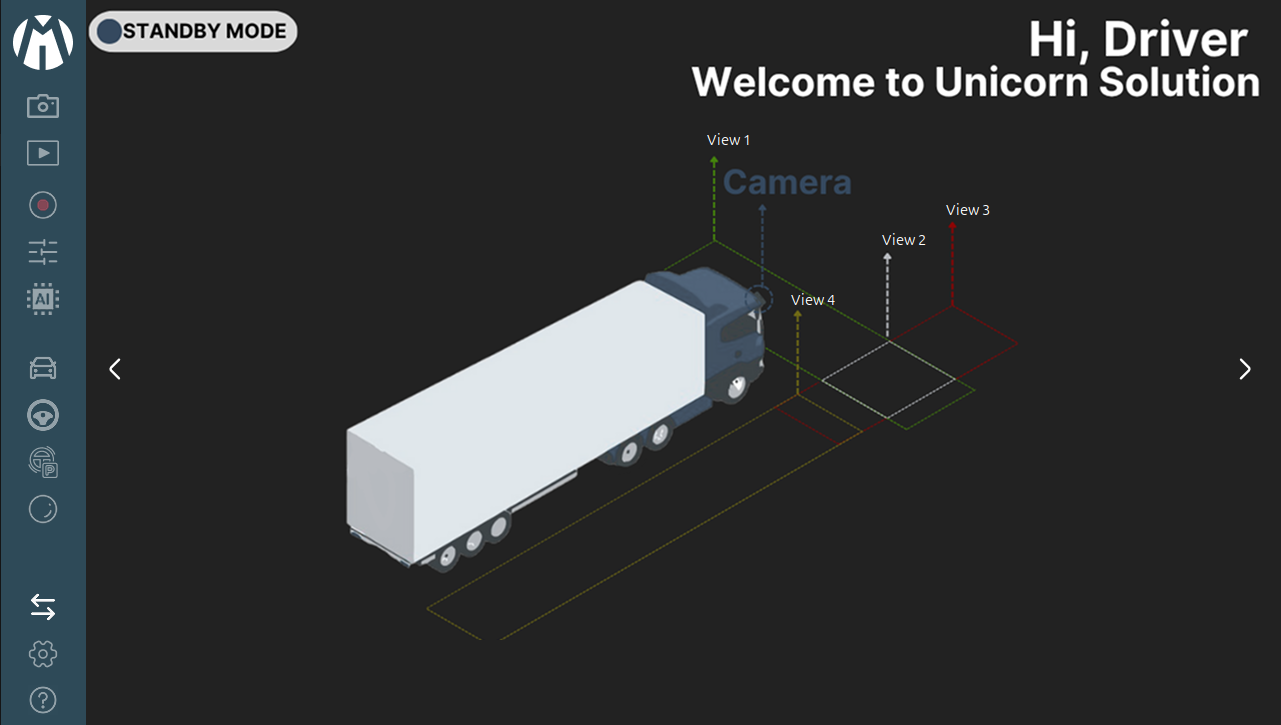
Overview Camera
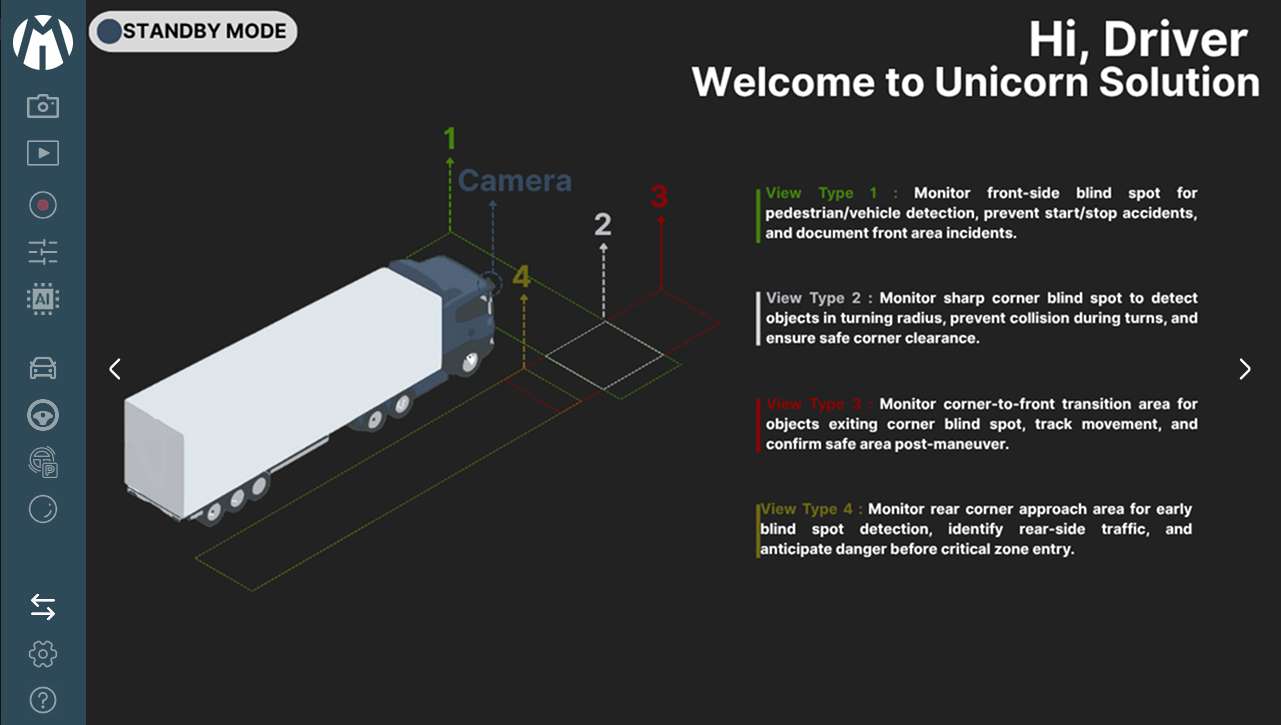
Top Camera View
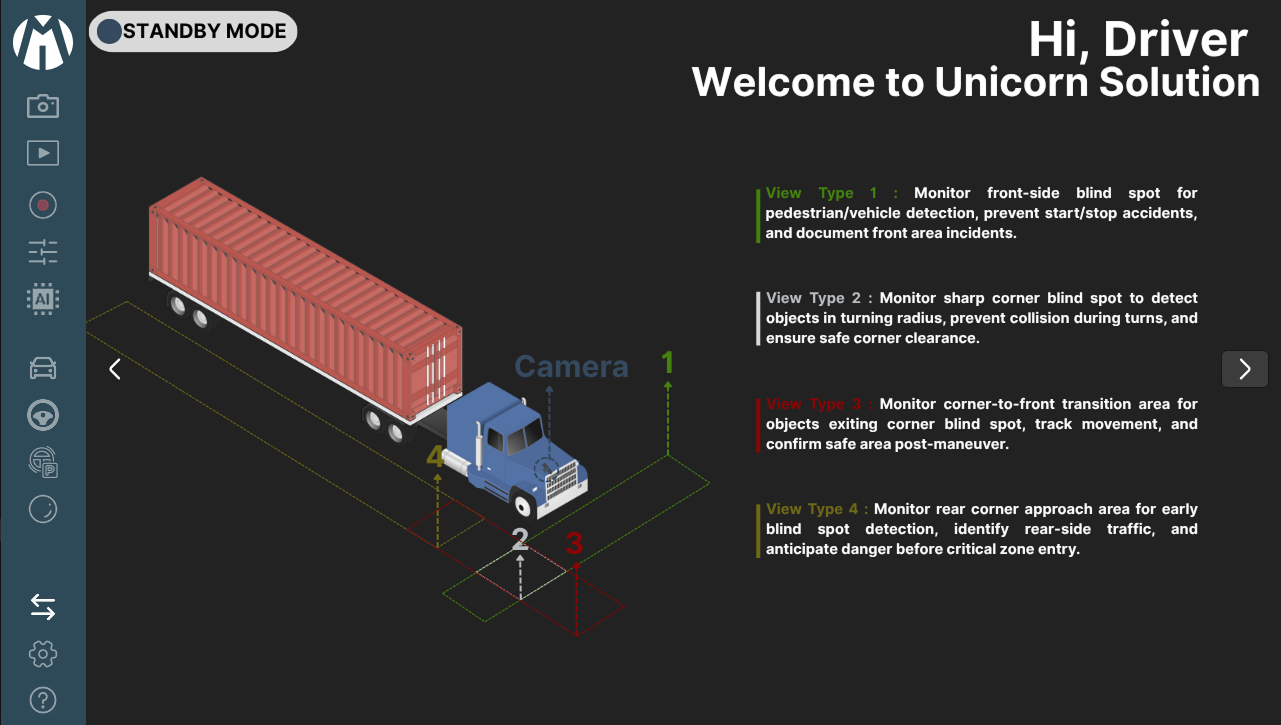
Front Camera
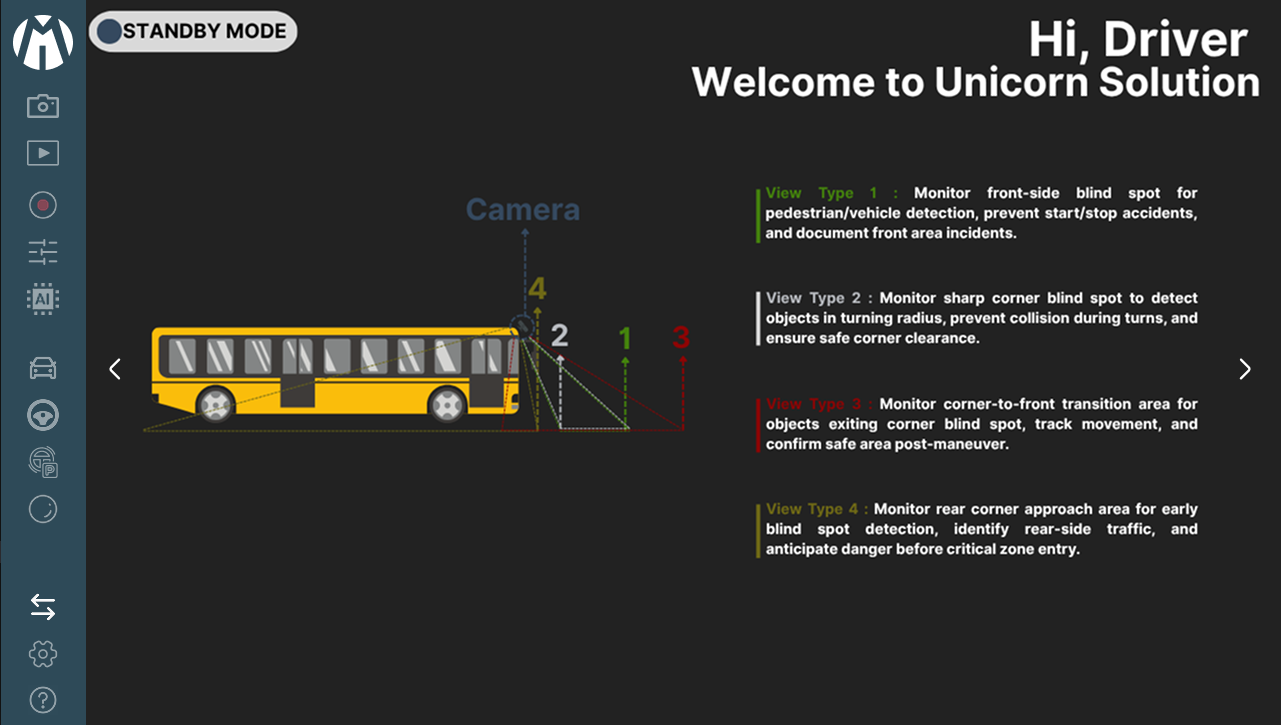
Detail Camera View
11. Setting Mode : Enables users to customize operational settings, including Camera Parameters, Resolution, Date & Time, Language, and About sections for quick configuration access.
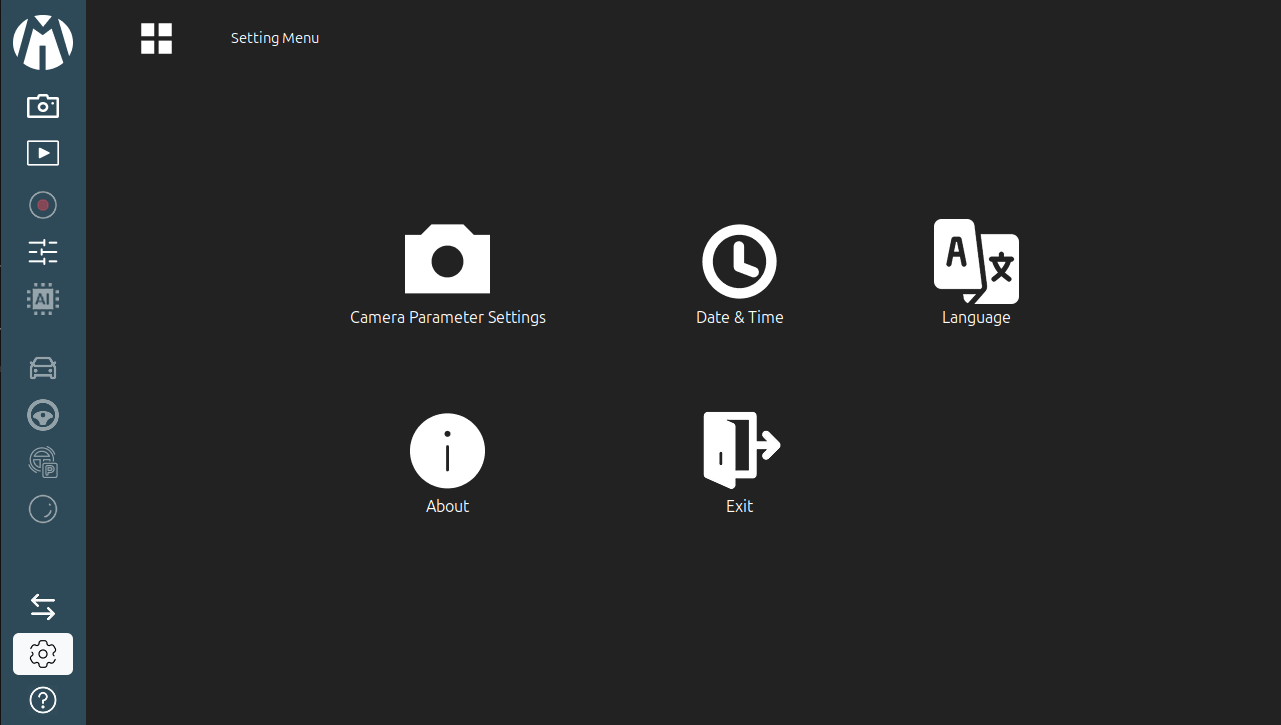
Setting Mode
12. Help Mode : Provides guidance on the functions of all buttons in the Sidebar and Live View Control interface, assisting users in understanding the system layout and features.
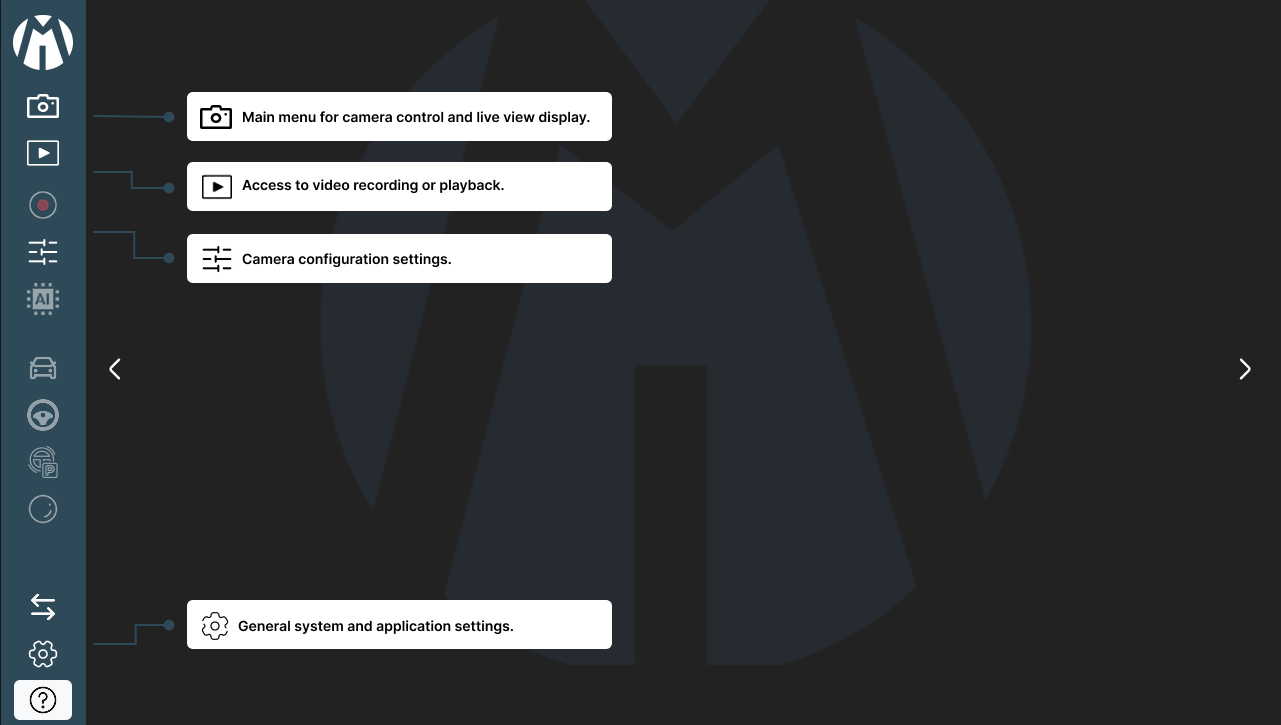
Sidebar Help Mode